

Table of Contents
A strategic Microsoft cloud partner does more than sell licenses. It continuously aligns Microsoft 365, Azure, security, support, governance, and AI investments with actual usage and business goals. That ongoing work helps reduce unused licenses and cloud waste, close governance gaps, improve operational visibility, and prepare the environment for Microsoft product and licensing changes.
Executive Summary
Modern Microsoft environments require continuous management. As organizations expand across Microsoft 365, Azure, Microsoft Security, Copilot, Intune, Windows Server, SQL Server, Power Platform, and hybrid infrastructure, complexity increases across IT, finance, procurement, and security.
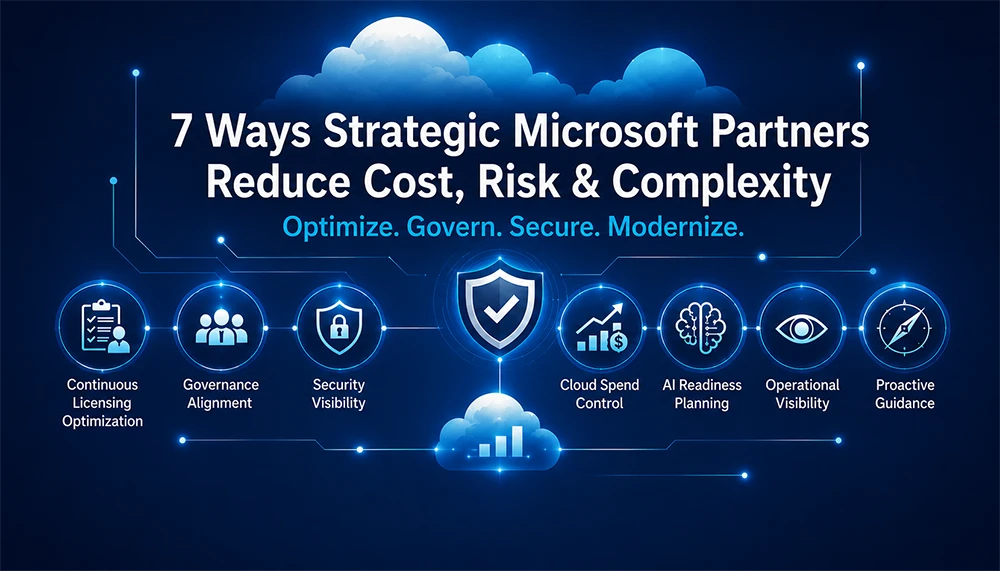
A strategic Microsoft partner helps organizations:
- Continuously optimize Microsoft licensing and cloud spend.
- Strengthen governance, security, and compliance visibility.
- Reduce cloud waste and operational friction.
- Build a secure, governed foundation for Copilot and AI.
- Improve issue detection, coordination, and resolution.
- Stay ahead of Microsoft pricing, product, and licensing changes.
- Connect Microsoft investments to measurable business value.
Organizations that treat Microsoft as an ongoing operational ecosystem – rather than a collection of disconnected products and renewals – are better positioned to control cost, reduce risk, and improve long-term value.
What Is a Strategic Microsoft Cloud Partner?
A strategic Microsoft cloud partner is a Cloud Solution Provider (CSP), consultant, or managed services partner that stays involved beyond purchasing and renewal. Microsoft describes CSP partners as organizations that can manage subscriptions, attach value-added services, support customers, and own the customer relationship across the lifecycle. A strategic partner uses those capabilities to continuously improve the customer environment rather than treating the relationship as a licensing transaction.
For organizations using Microsoft 365, Azure, Security, Copilot, and hybrid infrastructure, that distinction matters. Licensing decisions affect security entitlements. Identity and data governance affect Copilot readiness. Cloud architecture affects cost. Support processes affect business continuity. A partner that sees the full system can identify risks and opportunities that are easy to miss when each area is managed separately.
Transactional License Reseller vs. Strategic Microsoft Partner
| Area | Transactional approach | Strategic approach |
|---|---|---|
| Licensing | Quotes and renewals | Usage reviews, entitlement alignment, and continuous optimization |
| Cloud cost | Invoice visibility | Resource accountability, waste reduction, and budgeting controls |
| Security | Product availability | Configuration, identity, entitlement, and risk alignment |
| AI and Copilot | License procurement | Readiness, governance, adoption, and value planning |
| Support | Ticket routing | Environment context, coordination, escalation, and improvement |
| Microsoft changes | Reactive notification | Proactive impact analysis and planning |
1. Continuously Optimize Microsoft Licensing
Microsoft licensing is difficult to manage because organizations rarely use a single model. A typical environment may combine per-user Microsoft 365 licensing, per-device access, per-core Windows Server and SQL Server licensing, Azure consumption, Power Platform entitlements, and product-specific add-ons. Each model may be reasonable on its own, but together they create overlapping rules that are difficult to track as users, workloads, and business requirements change.
Without regular review, organizations can become both over-licensed and under-licensed at the same time. They may pay for premium capabilities that are not used while missing entitlements required for a workload, device, or access pattern. These gaps are not always obvious on an invoice.
A strategic Microsoft partner establishes a repeatable licensing optimization process that compares:
- Assigned licenses with active users and job roles.
- Product entitlements with actual features and workloads in use.
- Premium plans and add-ons with adoption and business requirements.
- Cloud and on-premises deployment models with applicable use rights.
- Licensing decisions with security, compliance, and modernization plans.
Business impact: Lower unnecessary spend, fewer entitlement gaps, stronger compliance documentation, and more predictable renewal decisions.
2. Control Azure and Cloud Spend Before Waste Compounds
Cloud spend changes continuously. New workloads are deployed, projects scale, departments adopt services independently, and resources remain active after ownership or business needs change. When no one is consistently reviewing usage, cost can grow faster than visibility.
The Flexera 2026 State of the Cloud Report estimates that 29% of cloud spend is wasted, the first increase in five years. The report connects that increase to growing complexity, including rapidly expanding AI workloads. This reinforces an important point: cloud waste is not only a procurement problem. It is an operational governance problem.
A strategic Microsoft partner helps organizations create an ongoing cost-control rhythm by reviewing:
- Underused, idle, or overprovisioned Azure resources.
- Subscription ownership and cost allocation.
- Duplicate tools, services, and overlapping capabilities.
- Reserved capacity, savings options, and architectural efficiency.
- Workload value, performance requirements, and business priorities.
The goal is not indiscriminate cost cutting. It is to preserve the services that support performance, security, and growth while eliminating spend that does not create measurable value.
Business impact: Reduced cloud waste, stronger accountability, improved forecasting, and more budget available for strategic initiatives.
3. Align Microsoft Governance Across IT, Finance, Procurement, and Security
Microsoft decisions often cross organizational boundaries. IT manages platforms and workloads. Finance monitors spend. Procurement manages agreements and renewals. Security oversees identities, data, devices, and access. When these teams operate with different information and review cycles, small gaps can become expensive problems.
Common governance questions include:
- Who owns each subscription, workload, and application?
- Which services are approved, duplicated, or no longer required?
- How are licenses provisioned, changed, and reclaimed?
- Which security and compliance requirements apply to each user or workload?
- How will new initiatives affect cost, architecture, support, and risk?
A strategic partner helps turn those questions into policies, decision rights, review checkpoints, and shared reporting. That alignment reduces the workarounds, duplicate administration, and delayed approvals that appear when teams manage the same Microsoft environment through separate processes.
Business impact: Clearer ownership, faster decisions, fewer conflicting standards, and better alignment between technology investments and business goals.
4. Strengthen Security and Compliance Visibility
Security capabilities are distributed across Microsoft products, plans, configurations, identities, devices, and workloads. A feature may be available in one license but absent from another. A policy may be correctly configured for one user group but inconsistent elsewhere. Hybrid environments add another layer because cloud and on-premises controls must work together.
That fragmentation can create:
- Inconsistent security coverage and policy enforcement.
- Unclear user, device, and workload entitlements.
- Unmanaged identities or excessive access.
- Data protection and compliance gaps.
- Audit preparation that depends on manual investigation.
A strategic Microsoft partner connects licensing visibility with identity, device, data, cloud, and security governance. Parex Technology, for example, provides Microsoft-focused services across Azure, Microsoft 365, identity and security, endpoint management, assessments, and ongoing support. That broader perspective helps identify where a licensing assumption, configuration gap, or ownership issue may create operational risk.
Business impact: Earlier risk identification, more consistent controls, stronger audit readiness, and fewer security gaps caused by fragmented ownership.
5. Build a Secure Foundation for Microsoft Copilot and AI
AI adoption increases the value of good governance – and the cost of weak governance. Copilot and other AI initiatives depend on clean identity management, appropriate access, reliable data controls, secure configurations, licensing clarity, and visibility into cloud consumption.
Flexera reports that 81% of respondents are using generative AI, while 53% identify security and compliance as the leading challenge for cloud-based AI initiatives. The same report found that 47% of large enterprises are establishing dedicated AI governance leaders or teams. These findings show that AI readiness is not simply a deployment or licensing decision. It is a coordinated governance discipline.
A strategic Microsoft partner can help an organization prepare by:
- Assessing identity, access, data, and security readiness.
- Reviewing Microsoft 365 and Copilot licensing against intended use cases.
- Defining governance guardrails before broad deployment.
- Prioritizing use cases based on business value and risk.
- Planning adoption, training, measurement, and ongoing optimization.
- Monitoring how AI workloads affect cloud cost and operational complexity.
Business impact: Safer AI adoption, clearer use-case priorities, stronger cost controls, and a better path from Copilot investment to measurable value.
6. Improve Operational Visibility and Issue Resolution
Complex Microsoft environments generate issues that span products, teams, and ownership boundaries. A Microsoft 365 problem may involve identity, networking, security, licensing, or a third-party dependency. When no one has a complete view of the environment, teams spend more time determining who owns the problem before they can solve it.
A strategic partner improves operational visibility through a five-stage lifecycle:
- Detect: Identify configuration gaps, performance issues, risks, and changes as early as possible.
- Assess: Determine business impact, dependencies, severity, and urgency.
- Coordinate: Align technical teams, decision-makers, support channels, and ownership.
- Resolve: Restore stability, address the root issue, and communicate progress.
- Improve: Apply lessons learned to strengthen governance, documentation, and future response.
The value is not limited to faster ticket handling. Environment familiarity, consistent ownership, and recurring reviews help prevent repeated issues and reduce the operational friction that slows projects and affects users.
Business impact: Faster coordination, clearer escalation, less disruption, and continuous improvement across the Microsoft environment.
7. Stay Ahead of Microsoft Product, Pricing, and Licensing Changes
Microsoft regularly changes product packaging, feature availability, commercial terms, billing structures, and licensing rules. These changes may affect different teams at different times. Procurement may see a new price or agreement term, IT may see a product announcement, and security may see a new control or requirement. Without a shared process, organizations can respond inconsistently or too late.
A strategic Microsoft partner helps translate change into action by monitoring developments and evaluating their impact on:
- Product plans, bundles, add-ons, and feature availability.
- Cloud and on-premises licensing rights.
- Renewal timing, pricing, billing, and subscription structures.
- Security, compliance, architecture, and support requirements.
- Technology roadmaps, migrations, modernization, and AI adoption.
The partner can then establish clear checkpoints to determine what changed, which users or workloads are affected, what decisions are required, and when action should occur. That is more effective than relying on a one-time renewal review after the environment has already drifted.
Business impact: Fewer surprises, better planning, more defensible decisions, and a Microsoft roadmap that stays aligned with business priorities.
How to Evaluate a Strategic Microsoft Partner
A partner should be able to explain how it creates value between purchases and renewals. When evaluating a Microsoft CSP or cloud partner, ask whether the provider offers:
- Recurring licensing, adoption, and cloud usage reviews.
- Microsoft 365 and Azure architecture and optimization expertise.
- Identity, security, compliance, and endpoint capabilities.
- Copilot and AI readiness, governance, and adoption planning.
- Clear support ownership, escalation processes, and environment context.
- Cross-functional reporting for IT, finance, procurement, and security.
- Proactive guidance on Microsoft product, licensing, and commercial changes.
- Measurable outcomes tied to cost, risk, performance, adoption, and business value.
The most important question is simple: does the partner make your Microsoft environment easier to understand and manage over time? A strategic relationship should create clearer decisions, stronger accountability, and continuous improvement – not another layer of complexity.
Why Parex Technology Operates as a Cloud Partner, Not Just a License Reseller
Parex Technology is a Microsoft-focused Cloud Solution Provider that combines licensing guidance with architecture, implementation, optimization, designated engineering support, and proactive services. Its capabilities span Azure, Microsoft 365, identity and security, endpoint and device management, Copilot readiness, Power Platform, Dynamics 365, and other Microsoft technologies.
That model is designed to help organizations manage Microsoft as an interconnected environment. Parex reviews licensing and usage, identifies cost and security opportunities, supports modernization initiatives, and stays engaged as business requirements and Microsoft programs evolve.
Explore Parex Technology’s Microsoft services, licensing solutions, and ongoing optimization capabilities – or contact the team to review your Microsoft environment.
Frequently Asked Questions
What does a strategic Microsoft partner do?
A strategic Microsoft partner helps an organization plan, license, implement, secure, support, and continuously optimize Microsoft technologies. The relationship extends beyond procurement to include governance, cloud cost control, security alignment, operational visibility, modernization planning, and proactive guidance as Microsoft products and commercial terms change.
What is the difference between a Microsoft CSP and a license reseller?
A license reseller may focus primarily on quotes, transactions, billing, and renewals. A strategic Microsoft CSP uses its customer-lifecycle role to add services such as licensing optimization, cloud governance, architecture, security, support coordination, adoption planning, and ongoing business reviews. A CSP can be transactional or strategic; the difference is the operating model and level of ongoing value.
How can a Microsoft partner reduce licensing and cloud costs?
A partner can compare assigned licenses with actual users and feature adoption, identify unused or overlapping services, review Azure resources for waste, align subscriptions with ownership, and evaluate architecture and purchasing options. Ongoing reviews are important because usage, staffing, workloads, Microsoft products, and pricing change throughout the year.
Can a Microsoft partner help with Copilot readiness?
Yes. A Microsoft partner can assess identity, access, data protection, security configuration, licensing, governance, and adoption readiness before Copilot deployment. It can also help prioritize use cases, establish guardrails, train users, measure adoption, and monitor cloud cost and risk as AI usage expands.
How often should Microsoft licenses and cloud usage be reviewed?
The right cadence depends on the size and rate of change in the environment, but organizations should not wait until renewal. Reviews are especially important after hiring changes, mergers, migrations, new projects, security initiatives, major Microsoft announcements, and Copilot or AI deployments. Many organizations benefit from monthly or quarterly operational checkpoints.
What should organizations look for in a Microsoft cloud partner?
Look for broad Microsoft expertise, recurring optimization practices, transparent reporting, security and governance capabilities, clear support ownership, proactive change guidance, and measurable outcomes. The partner should be able to connect licensing, cloud architecture, security, support, and business priorities instead of managing each area in isolation.
Meet Your Cloud Partner